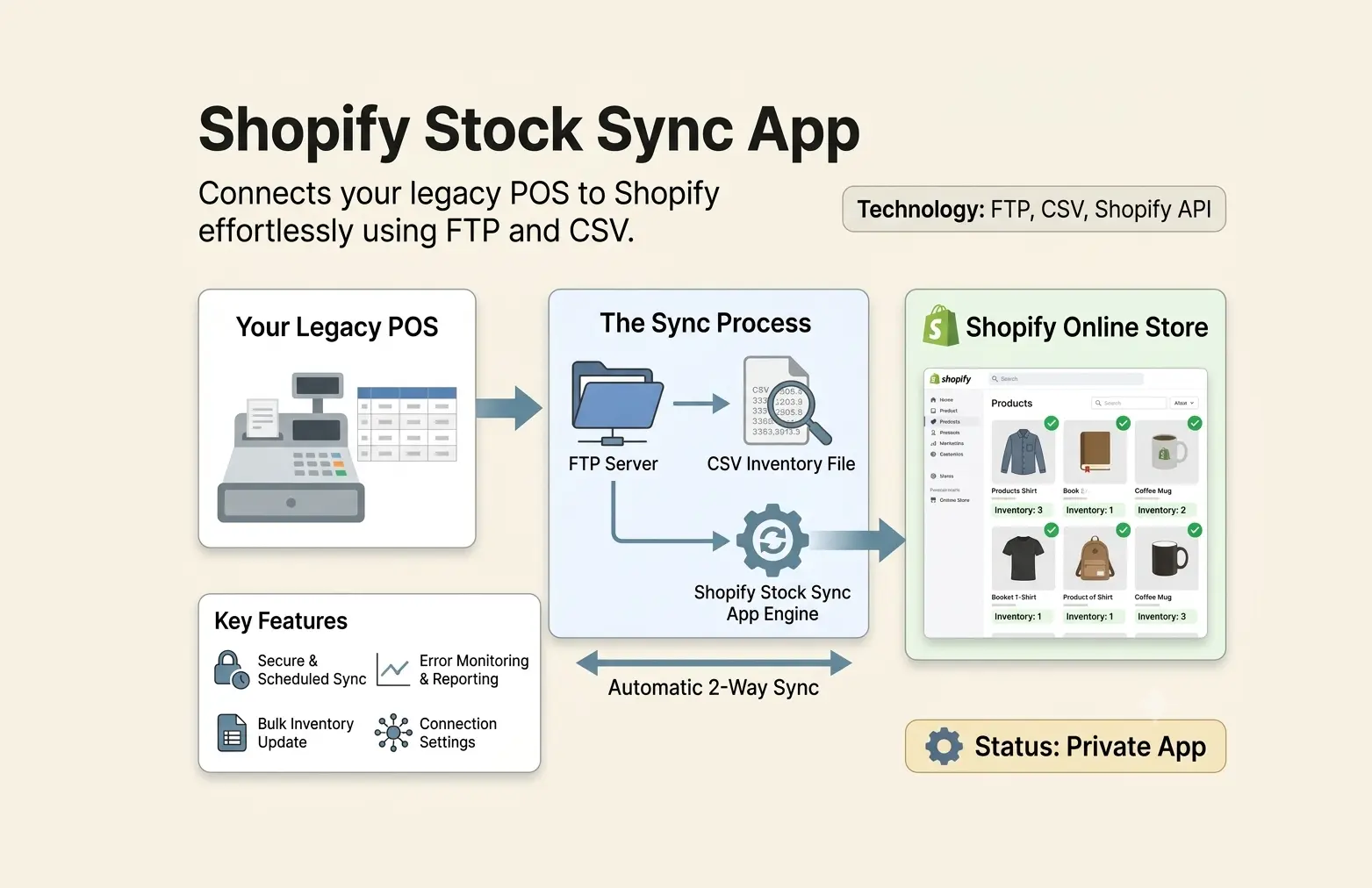
Shopify Stock Sync App
This app is designed to synchronize inventory data between a Shopify store and a Point of Sale (POS) system. It ensures that stock levels are accurately reflected in scheduled time across both platforms, preventing overselling and improving inventory management for retailers. it features syncronisation based on FTP Server CSV uploaded and stock sycnronisation using shopify api.
Sync Your POS Offline Inventory to Shopify Store Seamlessly with Our Stock Sync App
A permanent solution to keep your inventory data in sync between your POS system and Shopify store. Our app allows you to upload CSV files to an FTP server, which are then automatically processed to update stock levels in your Shopify store. With a user-friendly admin panel, you can easily manage location mappings and monitor synchronization logs, ensuring accurate inventory management without any manual effort.
Stock Sync App Admin Panel
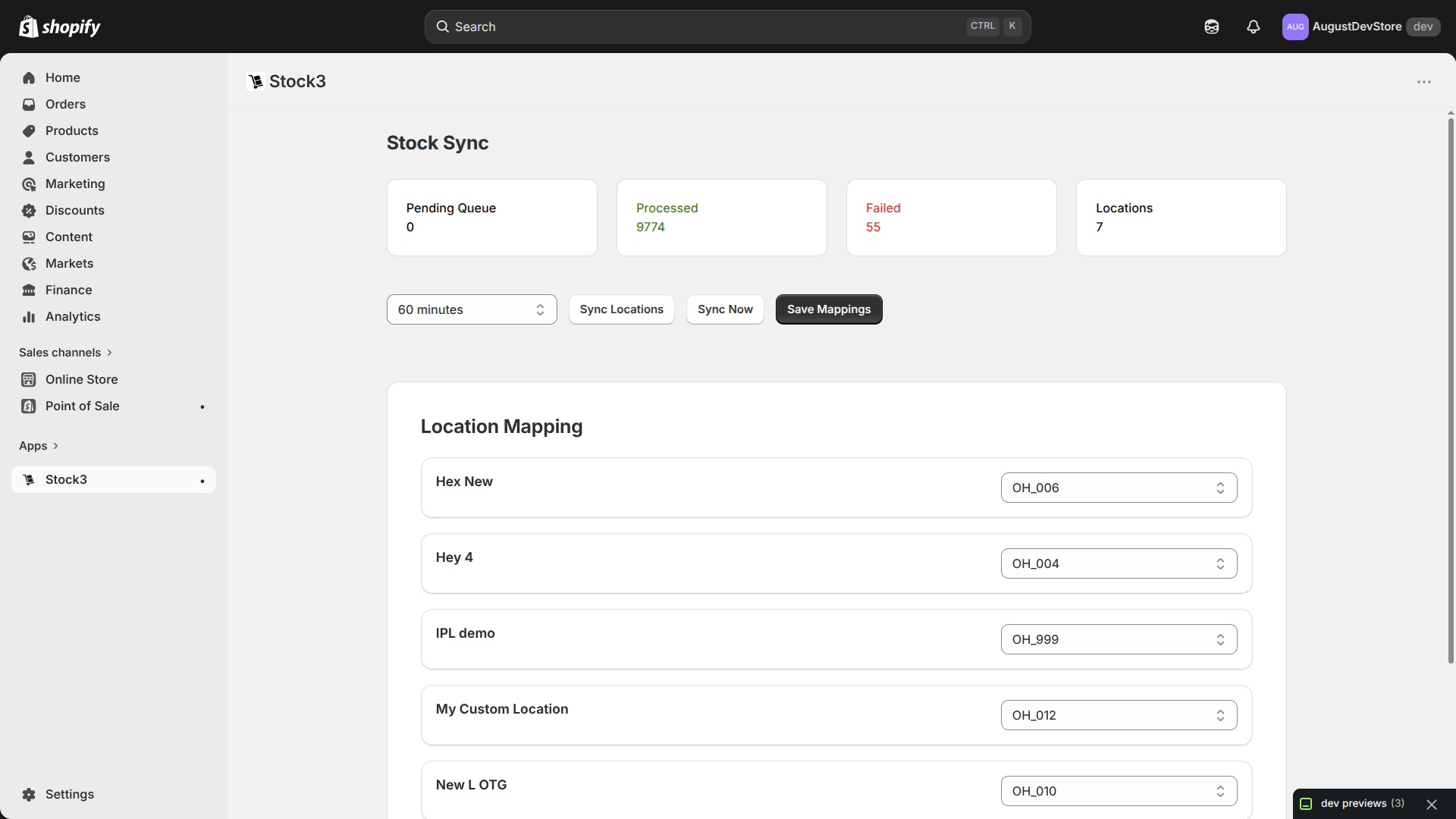
Simple UI Panel to manage Multiple Location mapping with CSV Files and it also shows the log of synchronisation and error if any during synchronisation process.
Stock Sync App Admin Panel
Simple UI Panel to manage Multiple Location mapping with CSV Files and it also shows the log of synchronisation and error if any during synchronisation process.
Inventory Changes Will Be Posted In CSV
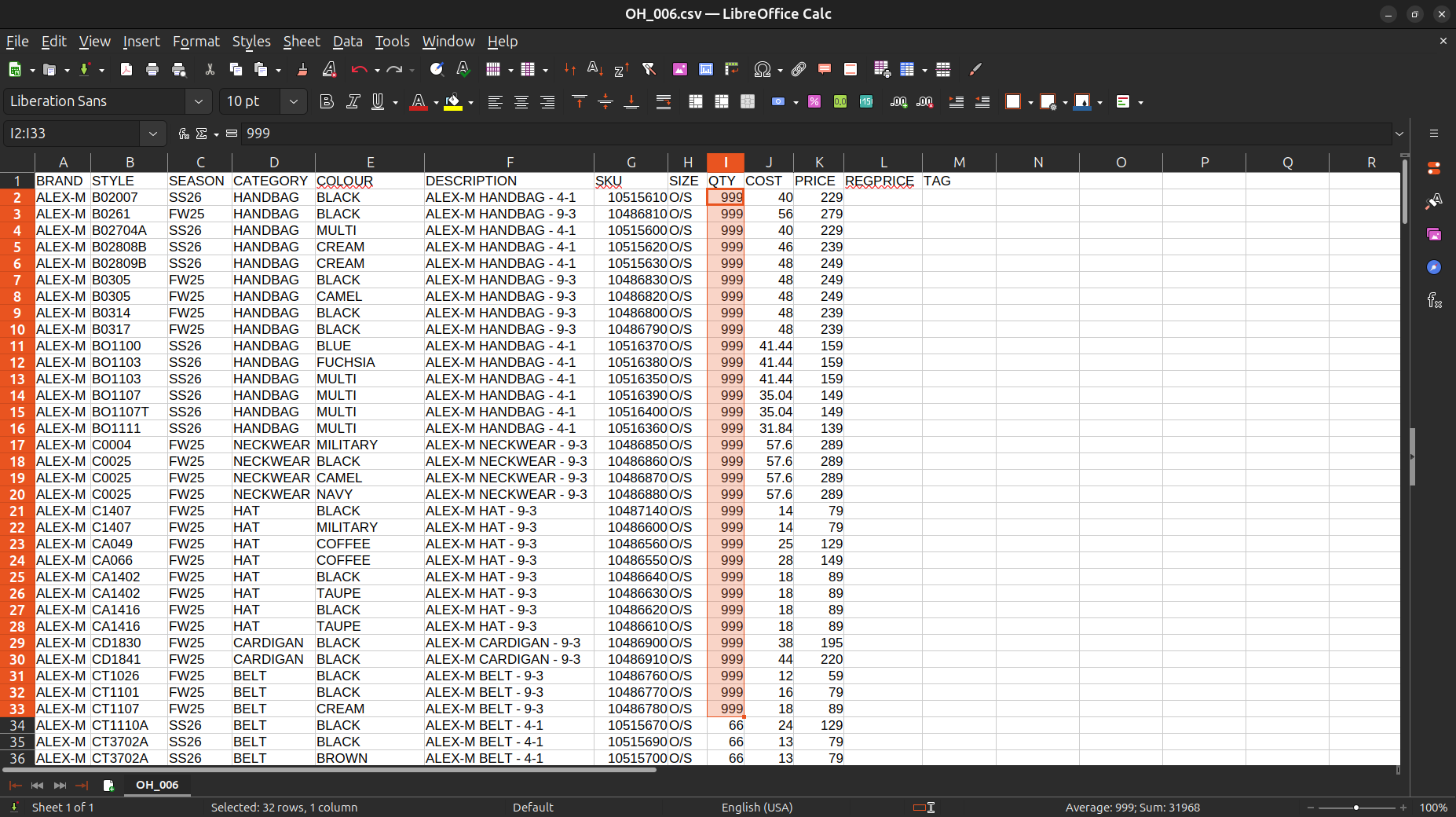
As the inventory change at any POS of any location will be posted in its respective CSV file & The CSV files will be uploaded to FTP server linked to Stock Sync App will be taken for action.
Upload CSV to FTP Server
Most wishlist apps use a basic design that doesn't match your store. Our app uses your existing product cards so the wishlist looks like a natural part of your site.
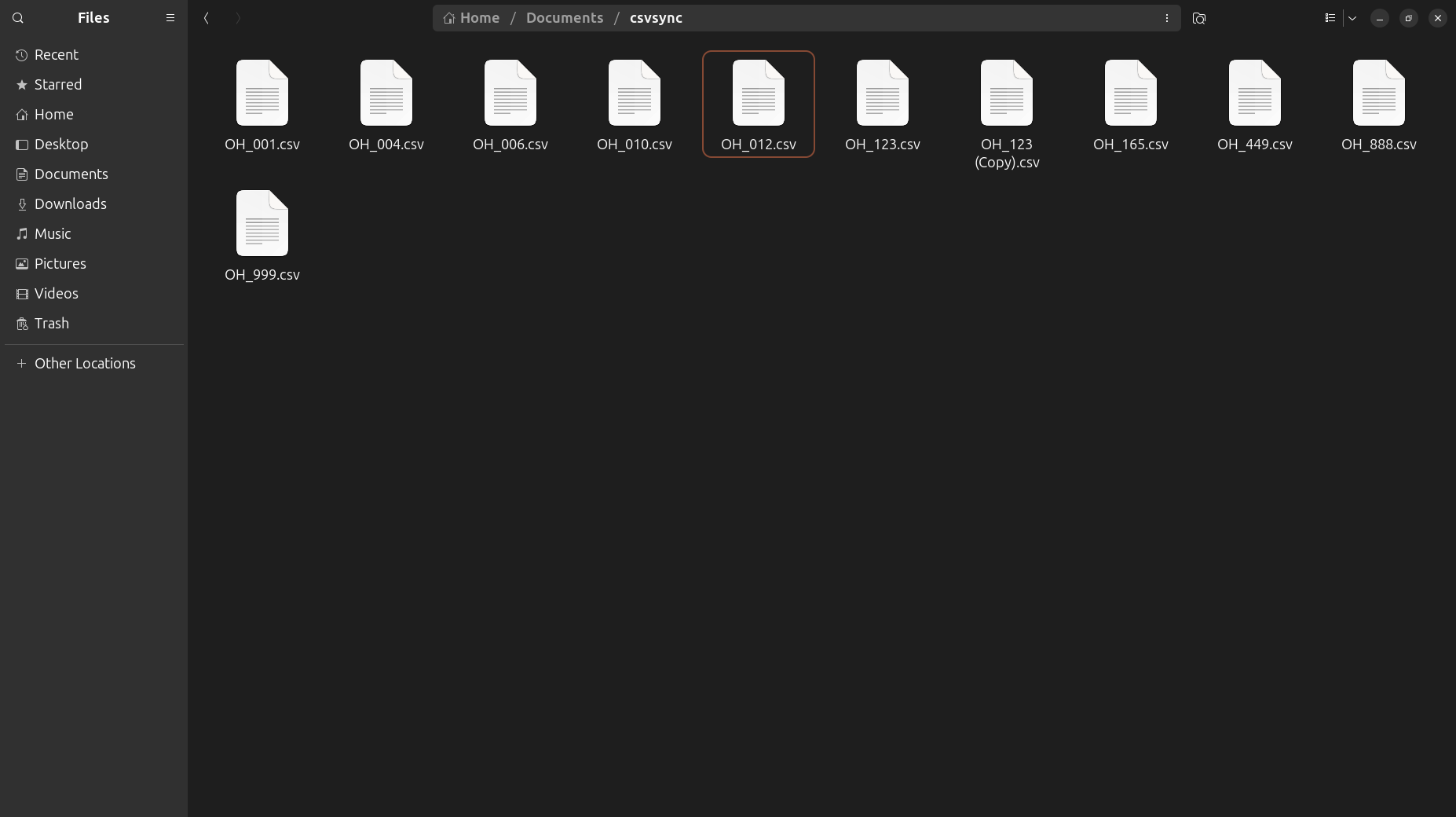
List of Recently Processed Inventories
Simple wishlist admin panel that shows saved data like how many products liked by which customer and it can be integrated with any marketing tools like Klaviyo, Mailchimp, or WhatsApp API in future.
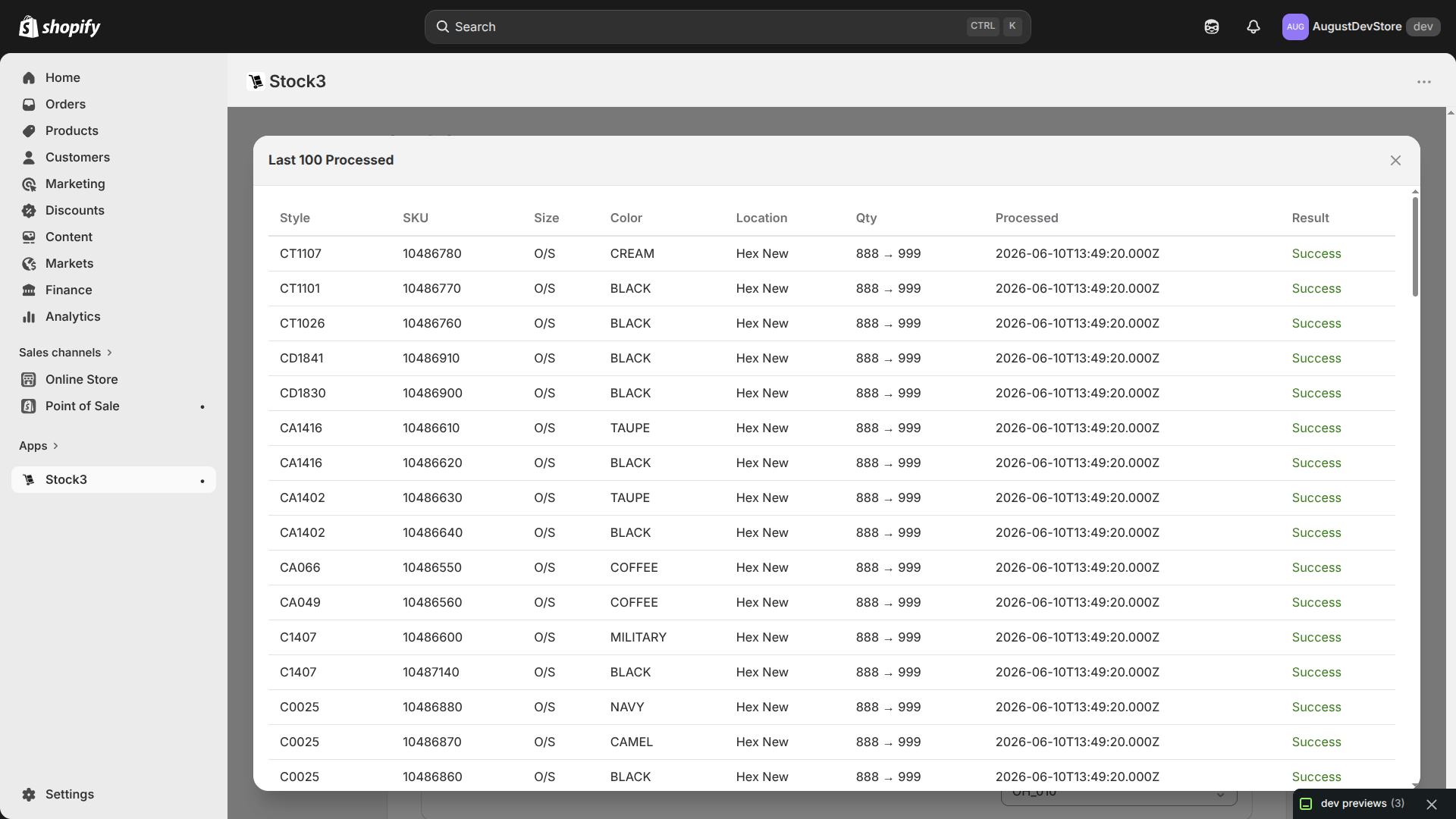
Inventory In Shopify Admin
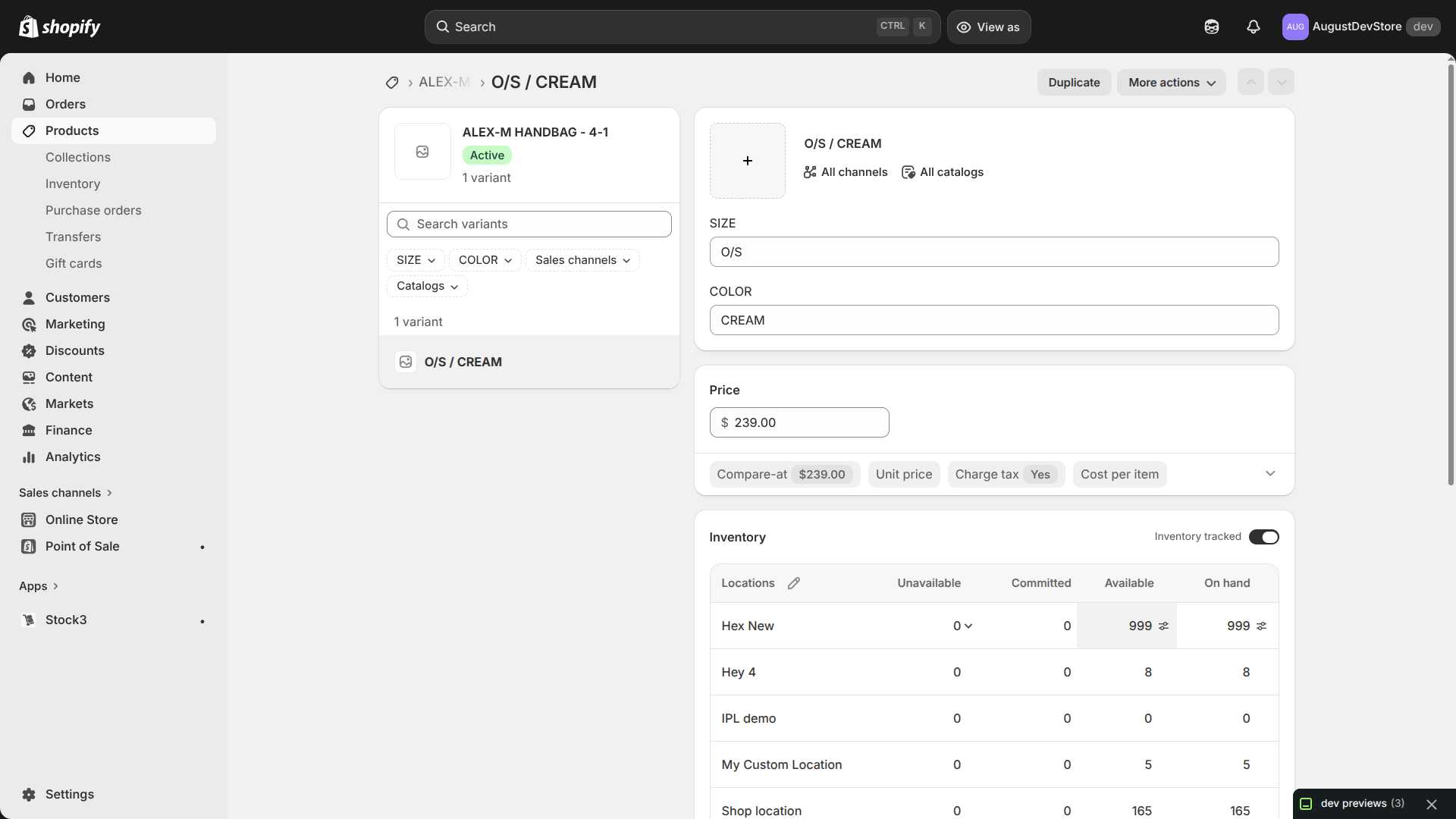
After CSV is processed the stock levels are updated in Shopify store and you can see the updated stock levels in the Shopify admin panel.